Build
Stripe billing
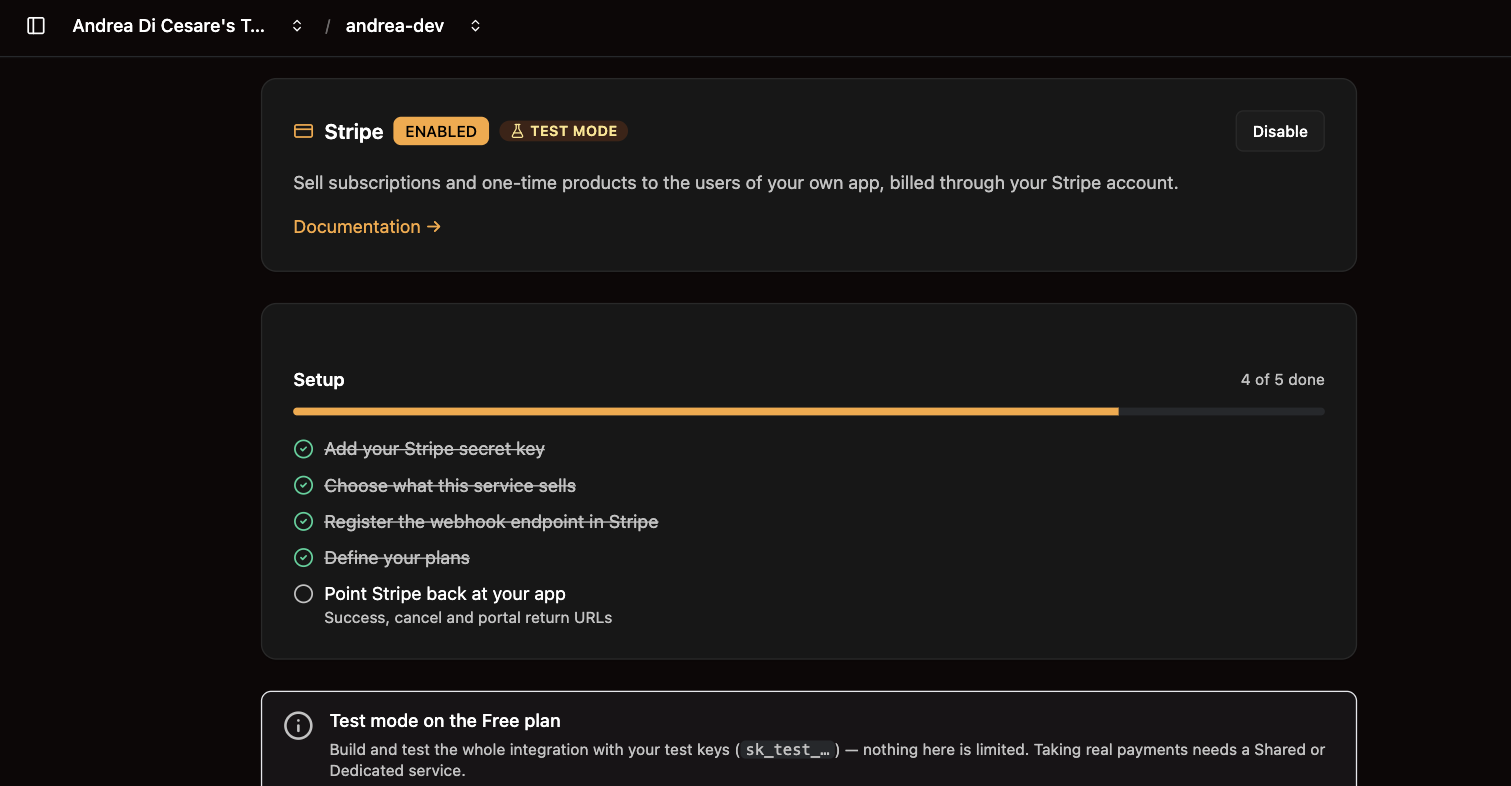
Take payments from your app without a payment backend: subscriptions or a product catalog with checkout, billed through your own Stripe account, in five steps.
|
Note
|
Stripe Billing is available from RESTHeart v9.8, and on Ulabase as a feature of the service. |
Take payments from your service without writing a payment backend.
Two things you can sell:
-
Products — a catalog, a cart, card payment, and an order you can look up afterwards.
-
Subscriptions — recurring plans, seats, and the Stripe billing portal.
Either one, or both. They share the same keys and the same webhook.
|
Tip
|
Want a working shop to copy? The ecommerce starter is one, set up by a single ulabase setup command.
|
Before you start
You need a Stripe account. It is free, and it is yours — Ulabase bills you for the service, your Stripe account bills your customers. The two never mix.
Stay in test mode until the whole flow works. The toggle is at the top right of the Stripe dashboard, and the test card is 4242 4242 4242 4242 with any future expiry and any CVC.
1. Get your secret key
Developers → API keys. Copy the one starting sk_test_.
2. Create the webhook
This is how Stripe tells your service that a payment went through. Without it, people pay and their orders stay pending forever.
Developers → Webhooks → add an event destination.
Destination URL — your service, plus /stripe/webhook:
https://c0ffee.ulabase.app/stripe/webhook
|
Important
|
Your service’s own URL, from its Connect page. Not api.ulabase.com, which is Ulabase’s control panel and serves none of your collections.
|
Events — select these six:
checkout.session.completed
checkout.session.async_payment_succeeded
checkout.session.async_payment_failed
checkout.session.expired
charge.refunded
charge.dispute.created
The first marks an order paid. The rest cover slow payments, abandoned carts, refunds and disputes.
Save it, then reveal the signing secret. It starts whsec_.
|
Note
|
Your service is on the public internet, so Stripe reaches it directly. You do not need the Stripe CLI or stripe listen — those are for a webhook arriving at your laptop.
|
3. Set it up
With the two values in hand:
npm install -g ulabase

export STRIPE_SECRET_KEY=sk_test_...
export STRIPE_WEBHOOK_SECRET=whsec_...

ulabase login
ulabase setup --srv <srvId>
ulabase login asks for a personal access token — create one at ulabase.com, under your profile. It is not your account password.
Or do it from the console: your service → Stripe → install it, then fill in the two secrets.
4. Check it worked
Buy something with the test card, then look at your orders collection. The order should read status: "paid".
Still pending_payment? The webhook is not arriving. In Stripe, open your event destination and look at the recent deliveries:
-
404or401— the URL is wrong; it must end in/stripe/webhook -
400— the signing secret does not match the one you configured -
nothing at all —
checkout.session.completedis not in your selected events
Keeping the setup in git
ulabase setup runs a file you commit alongside your app, so a new service is one command rather than a checklist. This is what that file looks like:
import { defineSetup, step, fromEnv, isRedacted } from '@ulabase/cli';

/** A stored secret reads back as bullets; one never set reads back blank. */
const configured = (v: unknown) =>
  isRedacted(v) || (typeof v === 'string' && v.length > 0);

export default defineSetup('Shop', [
  step('stripe feature installed', {
    check: ({ admin, srvId }) => admin.isFeatureInstalled(srvId, 'stripe'),
    apply: ({ admin, srvId }) => admin.installFeature(srvId, 'stripe'),
  }),

  step('stripe configured', {
    async check({ admin, srvId }) {
      const c = await admin.getFeatureConfig(srvId, 'stripe');
      return configured(c['secret-key']) && configured(c['webhook-secret']);
    },
    async apply({ admin, srvId }) {
      const current = await admin.getFeatureConfig(srvId, 'stripe');
      await admin.updateFeatureConfig(srvId, 'stripe', {
        ...current,
        'secret-key': configured(current['secret-key'])
          ? current['secret-key']
          : fromEnv('STRIPE_SECRET_KEY'),
        'webhook-secret': configured(current['webhook-secret'])
          ? current['webhook-secret']
          : fromEnv('STRIPE_WEBHOOK_SECRET'),
      });
    },
  }),

  step('collections and indexes initialised', {
    check: ({ service }) => service.collectionExists('transactions'),
    apply: ({ admin, srvId }) => admin.initFeature(srvId, 'stripe', 'products'),
  }),
]);
Two things about it:
Run it as often as you like. Every step checks before it writes, so a second run against a configured service changes nothing. --dry-run tells you what is missing without touching anything.
Secrets are only needed the first time. A stored key reads back as bullets, and configured() passes those straight through — so a re-run needs nothing in your environment.
Guests must be allowed to shop
Stripe Billing moves the money; your service’s ACL decides who may reach the collections. For a shop that sells to people without accounts, three permissions have to exist, and each fails in a way that does not look like a permissions problem:
| Permission | Symptom when missing |
|---|---|
|
The shop is empty. No error. |
|
Guest checkout answers |
|
The buyer pays, then the return page answers |
|
Tip
|
Scope the catalog rule with a readFilter. A catalog document is public the moment the rule exists, so a draft product must not become readable by omission. Filtering on { purchasable: true } alone is not enough once you sell variants — see below.
|
mongo: {
  readFilter: {
    $or: [
      { purchasable: true },
      { variants: { $elemMatch: { purchasable: { $ne: false } } } }
    ]
  }
}
The ecommerce starter has all three written out, along with the success URL that carries the order reference.
Variants, and what is on the shelf
A product with options — colours, sizes — carries them inside its own document, as variants. There is no second collection and no product-per-combination:
{
  "_id": "tee-classic",
  "name": "Classic T-shirt",
  "description": "Heavyweight cotton",
  "images": ["https://…/tee.jpg"],
  "currency": "eur",
  "variants": [
    { "id": "yellow-l",
      "unit_amount": 2500,
      "purchasable": true,
      "in_stock": 12,
      "images": ["https://…/tee-yellow.jpg"],
      "metadata": { "colour": "yellow", "size": "L" } }
  ]
}
Five rules, and that is the whole model:
-
A document without
variantsis bought as itself. Most products have no variants, and making them declare a list of one would be ceremony. -
A document with
variantsis not buyable; its variants are. The document carries what they share — name, description, images. -
A variant is referenced as
<product-id>/<variant-id>:tee-classic/yellow-l. That is aproductIdlike any other inPOST /orders, so a client never needs to know there are two shapes. -
Variant ids are unique inside their document and nowhere else. Nothing to keep straight across the catalog.
-
A variant inherits every field it does not declare. Price and stock sit in fields beside the metadata, never inside it.
metadata is labels: it describes, it does not define. Whatever keys you choose reach the order line, the Stripe dashboard, the receipt and the invoice, and your email templates can read them by name — {{colour}} if that is what you called it. At most 50 keys, keys under 40 characters, values under 500, which are Stripe’s limits.
in_stock is optional, and nothing is reserved
in_stock goes on the variant, or on the product when it has none. Leave it out and the item is uncounted, which is the right default for most of what a small shop sells.
A cart holds no claim on anything. The units come off when the payment lands, in one atomic update per line — so two people can buy the last one, and both payments succeed. The order that pushed the count below zero is marked oversold: true, and you refund it from the Stripe dashboard, which arrives back as charge.refunded and is already handled.
That is a trade, made deliberately. Reserving would mean an endpoint, a server-issued token, a per-cart cap, a rate limit, expiry arithmetic and a cart that stops being client-side — to prevent two people wanting the last unit within the same half hour. Overselling costs a fee and an apologetic email and is paid rarely; the machinery would be paid always. What the atomic decrement buys is that the case is visible: nobody refunds what nobody noticed.
Checkout still refuses what already reads zero, so this only leaves the window between that check and the payment.
|
Note
|
Nothing puts stock back. A refund happens outside the system — the goods may return, return broken, or never return — so restocking and correcting after a refund are both a person’s job, from the console. |
Common mistakes
Filtering the catalog on purchasable alone. A product with variants carries no top-level purchasable — the flag is on each variant, because that is where the decision belongs. A missing field does not match, so { purchasable: true } hides every product that has options, and the shop simply renders without them. Nothing errors.
Pointing the app at the admin node. api.ulabase.com is Ulabase’s own control plane and serves no collection of yours, so every GET /catalog answers 401 — which reads exactly like a missing permission. Your service’s URL is the one on its Connect page.
A success-url that does not match a route in the app. The buyer pays and lands on a 404. Stripe substitutes {CHECKOUT_SESSION_ID}; RESTHeart also interpolates {ORDER_ID} and {ORDER_SECRET} — put those in the URL fragment, so the secret never reaches a server log or a Referer header.
Renamed collections the client does not know about. products.catalog-collection and products.orders-collection are configurable, and the client takes them as parameters rather than assuming. Rename one, tell the client.
Order emails
Order confirmations and refund notices are sent by Stripe Billing. They come from noreply@ulabase.com unless you set up your own mail server — see Email, which also covers the daily limit they count against.
Related pages
-
The
ulabasecommand line — keeping the configuration above in git