Your data
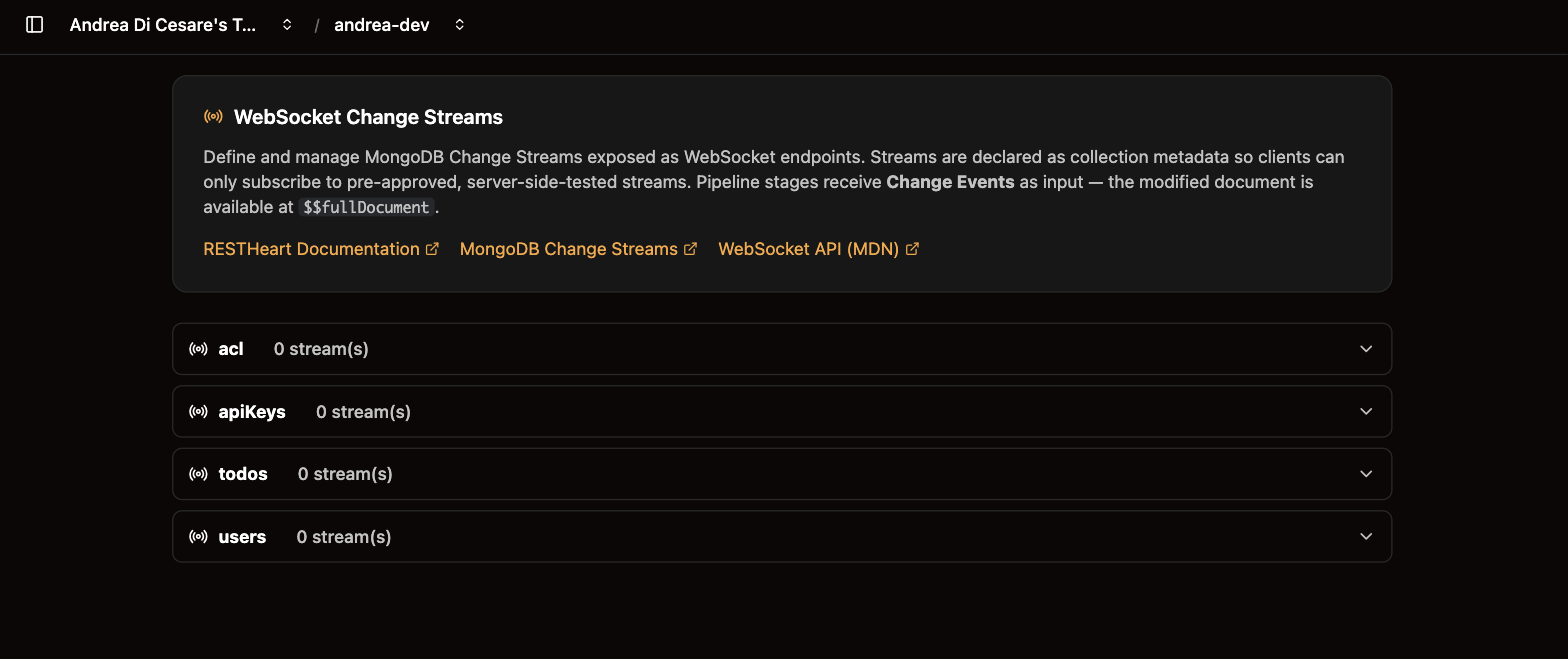
Change streams
A change stream tells your app the moment a document is inserted, updated or deleted, so the screens update when the data does.
A change stream tells your app when a document is inserted, updated or deleted, the moment it happens. You define under Change streams which changes of a collection to publish. The app opens a WebSocket, a connection that stays open, and receives each change as JSON.
Use it for screens that must stay current, such as a list of orders that shows a new order as soon as it arrives.
What you get:
-
Updates as they happen. The app does not ask the service again and again to find out whether something changed.
-
The user’s own access. The app subscribes with the user’s credentials.
-
Only what you approved. Like aggregations, streams are defined on the server, so a client can subscribe only to what you published.
Define a stream
-
Open Change streams, expand the collection and click Add stream.
-
Give it a
uri, the name the app will subscribe to, and thestagesthat select which events to send. -
Click Create. The stream is available at once.
{
  "uri": "active-orders",
  "stages": [
    { "$match": { "operationType": { "$in": ["insert", "update"] }, "fullDocument.status": { "$ne": "cancelled" } } }
  ]
}
An empty stages array sends every change. The stages are a pipeline, with the same editor as aggregations. They run on change events, and the document is under fullDocument:
{
  "operationType": "update",
  "documentKey": { "_id": { "$oid": "64abc…" } },
  "fullDocument": { "_id": { "$oid": "64abc…" }, "status": "shipped", "customerId": "alice" },
  "updateDescription": { "updatedFields": { "status": "shipped" }, "removedFields": [] }
}
So a filter on a field of the document is written {"fullDocument.status": "shipped"}. operationType is insert, update, replace or delete.
The patterns that cover most apps:
| Stream | Stages |
|---|---|
Everything |
|
New documents only |
|
Documents with a given value |
|
Everything but deletes |
|
One stream, one connection, many users
Most apps want each user to see their own changes: Alice her orders, Bob his. A variable in the stages is refused with 400: it would make a different pipeline for every value, and the service would open a MongoDB change stream for each of them. The user goes in notify_when: the stages stay the same for everyone, the service keeps one connection to MongoDB, and each client receives the events that match the value it binds in the URL.
{
  "uri": "my-orders",
  "stages": [ { "$match": { "operationType": { "$in": ["insert", "update", "replace"] } } } ],
  "notify_when": { "fullDocument::customerId": { "$var": "customer" } }
}
The client names its value as a query parameter:
const ws = new WebSocket('wss://alice:secret@c0ffee.ulabase.app/orders/_streams/my-orders?customer=alice');The field is written fullDocument::customerId, with :: between the part of the event and the path inside it. When the field is an array, the client receives the event if its value is one of the elements. A client that binds no value is refused with 400.
notify_when chooses what a client receives, not what a client may see: Alice can connect with ?customer=bob. What keeps users apart is the permission of the stream, whose readFilter applies to a stream as it applies to a GET.
Each plan allows so many streams on a collection (5 on Free, 10 on Starter, 25 on Pro), so many cursors open at a time on the service (10, 25, 50) and so many connections open at a time, change streams and MCP streams together (50, 200, 1,000). A cursor is one stream with one set of bound variables: every client of my-orders shares the one cursor, whatever value it binds in notify_when. What opens another cursor is a different avars query parameter, or a readFilter in the permission that names the user: each distinct value is a cursor of its own, and counts. A connection beyond the cap is refused with 429; the Monitor page shows the connections open against the cap.
Try it in the console
Every stream has a Try panel. Enter the username and password of one of the service’s users, click Connect, then change a document from another tab or with curl: the events appear in the log as they happen. The copy icon beside the stream gives you the address to paste in your code.
Subscribe from your app
const ws = new WebSocket('wss://alice:secret@c0ffee.ulabase.app/orders/_streams/active-orders');

ws.onmessage = event => {
  const change = JSON.parse(event.data);
  console.log(change.operationType, change.fullDocument);
};

ws.onclose = event => {
  // close code 1006 usually means the service refused the credentials
  console.log('closed', event.code);
};
A browser cannot set headers on a WebSocket, so the credentials go in the URL and the browser turns them into Basic Auth for the handshake. The user must be one of the service’s users, with a permission that allows GET on the stream’s path. The Admin JWT cannot open a stream.
Or over Server-Sent Events
The same stream is also available over plain HTTPS as Server-Sent Events, for a client that can set headers, such as a mobile app or a server. Ask for it with the Accept header:
curl -N -H 'Accept: text/event-stream' -u alice:secret \
  https://c0ffee.ulabase.app/orders/_streams/active-orders
Each event carries the change as data, and an id the client sends back as Last-Event-ID on reconnect to resume where it left off. WebSocket and SSE clients can share one stream.
When the connection drops
A stream with nothing to report would send nothing, and a proxy along the way closes a connection that stays silent for too long. So the service keeps it busy: every 20 seconds it sends a ping on a WebSocket, and a comment line on Server-Sent Events. Browsers answer the ping on their own, so you write nothing for it.
A connection can still die without your app noticing, for instance while the computer sleeps: the socket looks open, and no event arrives. If your app must know, it sends its own pings, and reconnects when no answer comes back. The service answers every ping.
A WebSocket delivers events only while it is connected. After a reconnection, ask the REST API for what changed in the meantime. Every write gives the document a new _etag, a value that grows with time, so this request returns the documents created or changed after the last event your app saw, in order:
curl -G -u alice:secret https://c0ffee.ulabase.app/orders \
  --data-urlencode 'filter={"_etag":{"$gt":{"$oid":"<last _etag seen>"}}}' \
  --data-urlencode 'sort={"_etag":1}'
This request carries its own filter and sort, so it works only if the user’s permission has allowFilter on. If it does not, declare an aggregation that returns the documents changed after a given _etag, in order. The app calls it with the last _etag it saw.
Deleted documents do not show up in that answer.
From a script
Streams live in the collection’s metadata, in the streams array, next to aggrs:
| Operation | API |
|---|---|
Read the definitions |
|
Save them |
|
Subscribe |
|
Do it from the command line
You can keep your change streams in git and apply them with ulabase setup. The step below adds the active-orders stream to orders. The streams of a collection are its streams list, and the step replaces only its own entry, found by uri:
import { defineSetup, step } from '@ulabase/cli';

// the stream, opened at /orders/_streams/active-orders
const activeOrders = {
  uri: 'active-orders',
  stages: [
    { $match: { operationType: { $in: ['insert', 'update'] }, 'fullDocument.status': { $ne: 'cancelled' } } },
  ],
};

// read the streams saved in the settings of orders
const streams = async (service: any): Promise<any[]> =>
  (await (await service.fetch('/orders/_meta')).json()).streams ?? [];

export default defineSetup('Live orders', [
  step('active-orders stream', {
    async check({ service }) {
      // the stream is up to date when it is stored with the same stages
      const found = (await streams(service)).find(s => s.uri === activeOrders.uri);
      return JSON.stringify(found?.stages) === JSON.stringify(activeOrders.stages);
    },
    async apply({ service }) {
      // keep the other streams, and replace this one
      const others = (await streams(service)).filter(s => s.uri !== activeOrders.uri);
      await service.fetch('/orders', {
        method: 'PATCH',
        body: JSON.stringify({ streams: [...others, activeOrders] }),
      });
    },
  }),
]);
The step writes the whole streams list, with the other streams as they were. The aggregations and the rest of the collection stay as they are.
Related pages
-
Aggregations: the same editor, for pipelines that compute a result.
-
MCP server: a stream you publish is available to an AI agent too.
-
Users and Permissions: who may subscribe.