Get started
Getting started
Create a free service, make your first request and connect your web or mobile app with the Kit. It takes about five minutes, and the Free plan needs no card.
This page takes you from nothing to a running service. You create a free service, get its credentials, make your first request, and connect your app with the Kit. It takes about five minutes, and the Free plan needs no card.
1. Create a service
Sign in at https://ulabase.com and click New service. Pick a plan. Free is enough to build and test an app, and you can move up later.
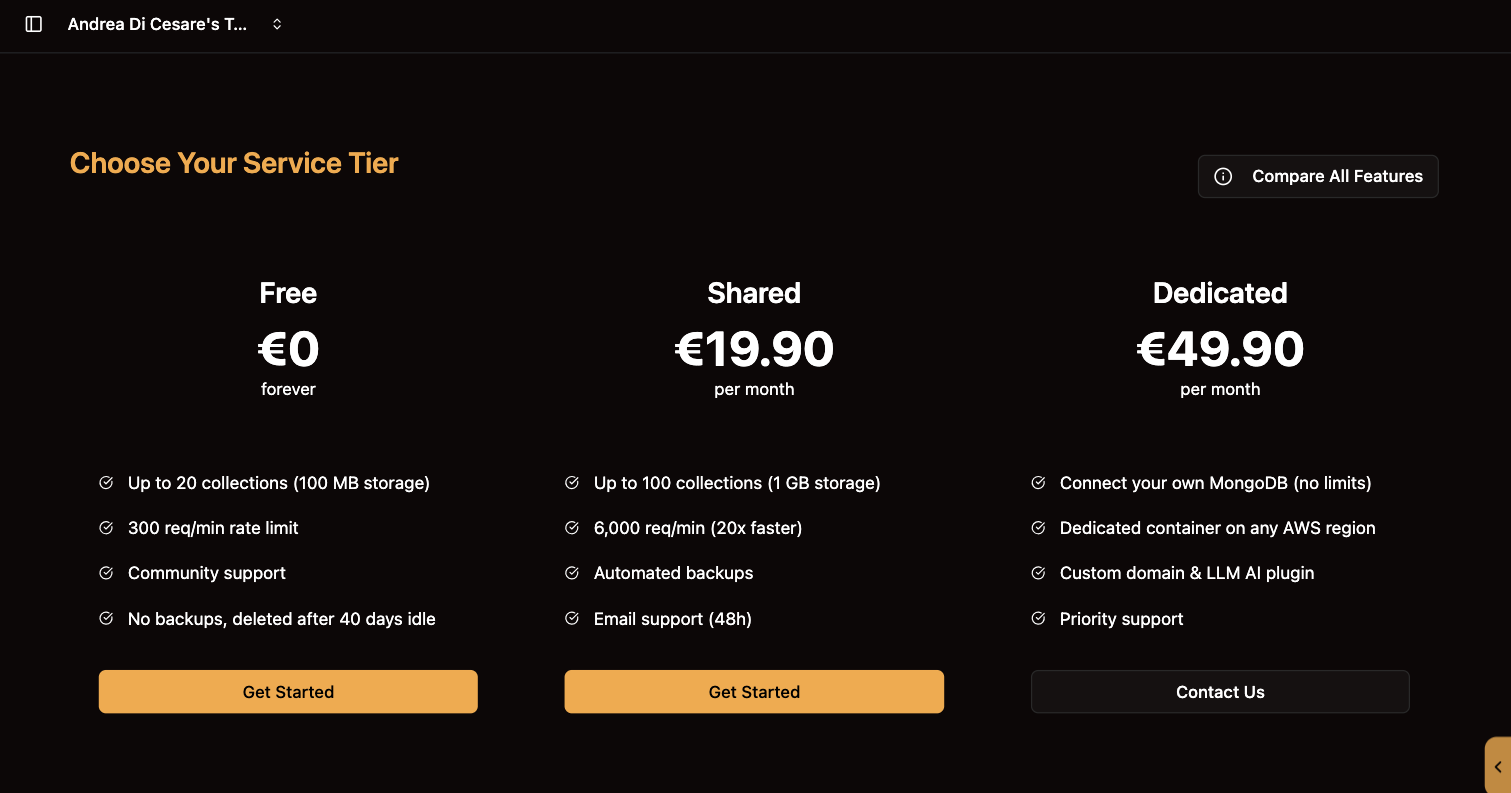
Give the service a name and choose a region. The service is ready in under a minute, with an address of its own such as https://c0ffee.ulabase.app. Your app talks to that address.
The console then opens a page that says the service is ready. It shows the address, and it gives you the password of the root user: the console generates a strong one and sets it on the service for you. Click Copy root password and keep it somewhere safe. It is not stored anywhere, and the page offers it only once.
|
Note
|
An Enterprise service runs on your MongoDB or on one we run for you. Choosing Enterprise opens a form to our team, and we set the service up with you. On your MongoDB, the service needs the connection string before it can start. See Connecting your MongoDB. |
2. Get the credentials
The service opens on its Home: the address, two credentials and a snippet for your framework.
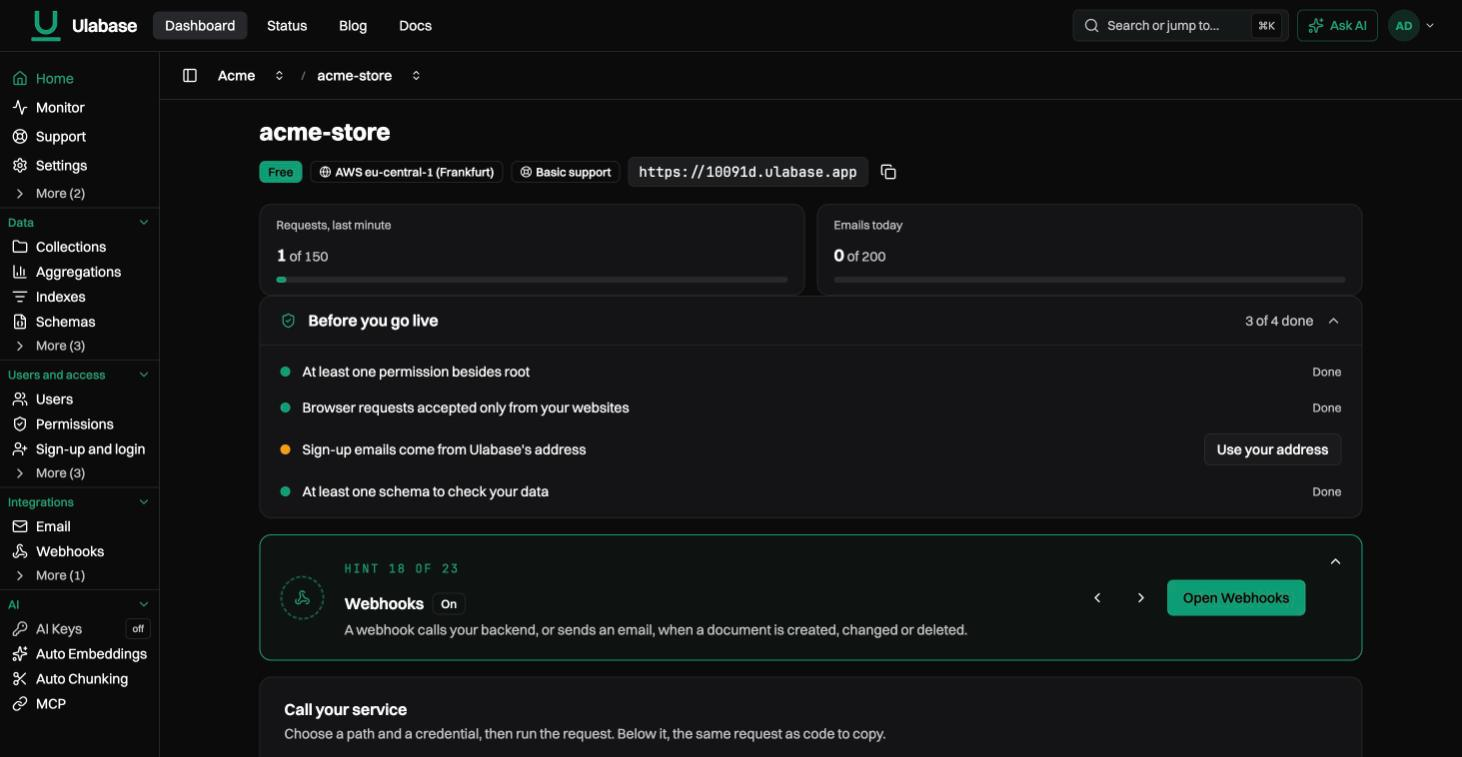
-
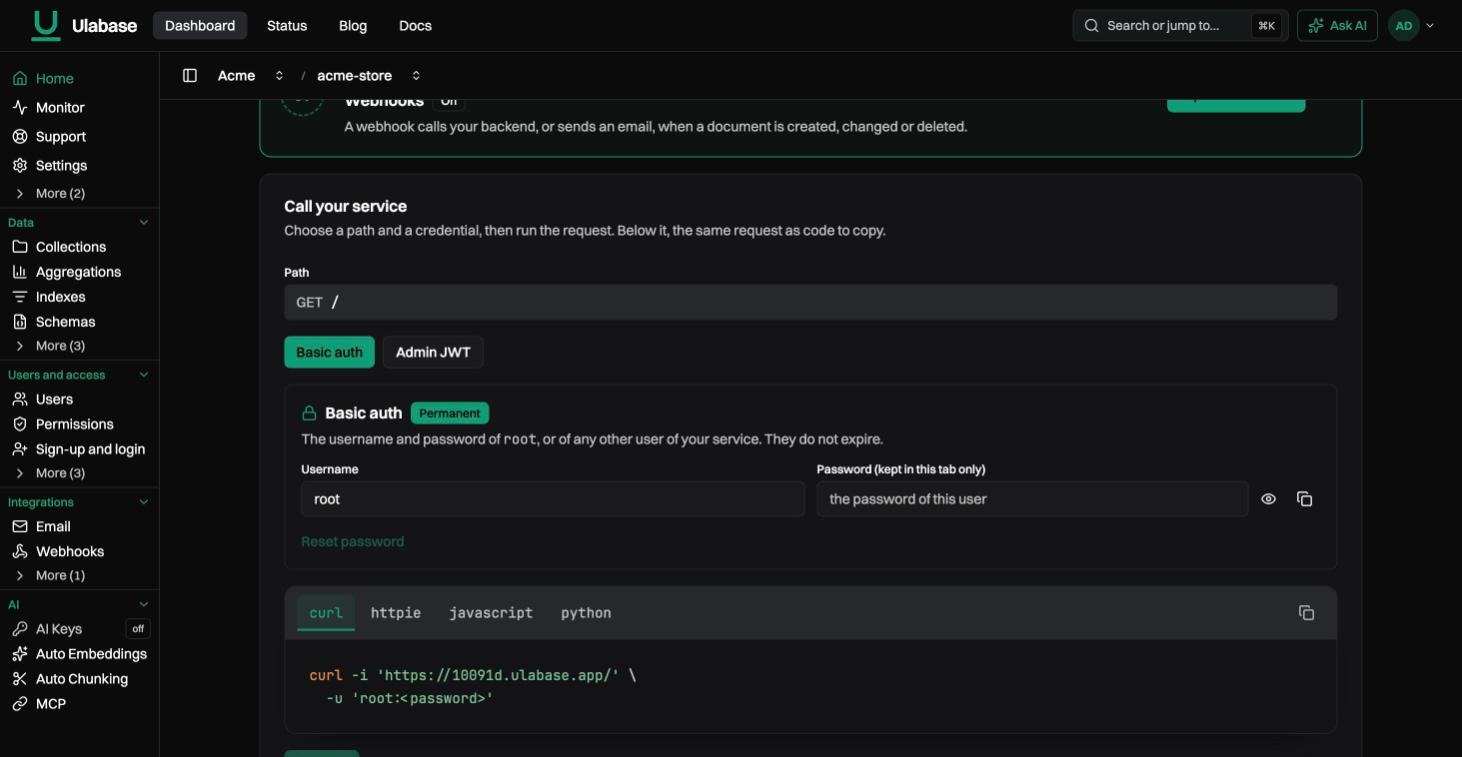
Basic Auth, permanent. The
rootuser of your service, with the widest permission of the service. Use it to set the service up and from your terminal. Your app’s own users come later, from sign-up. -
Admin JWT, 15 minutes. A token with administrator rights, for a quick test from a terminal. When it expires, click Refresh for a new one.
The console does not store the root password, so it cannot show it later: keep the one you copied, since every example in this documentation uses it. To set a new one, type it in the Basic Auth box on the service’s Home and click Reset password.
3. Make the first request
Open a terminal. Put the root password in a variable once; every example in this documentation reads it from there:
export ROOT_PASSWORD='your root password'

curl -i -u root:$ROOT_PASSWORD https://c0ffee.ulabase.app/
It answers 200 with the list of collections, which is empty. Now create a collection, add a document and read it back:
curl -i -u root:$ROOT_PASSWORD -X PUT https://c0ffee.ulabase.app/todos

curl -i -u root:$ROOT_PASSWORD -X POST https://c0ffee.ulabase.app/todos \
  -H 'Content-Type: application/json' \
  -d '{ "title": "Try Ulabase", "done": false }'

curl -u root:$ROOT_PASSWORD https://c0ffee.ulabase.app/todos
Three requests, and your service has a collection with data in it. Every collection works the same way: GET to read and filter, POST to add, PATCH to change, DELETE to remove. See Collections and documents.
|
Tip
|
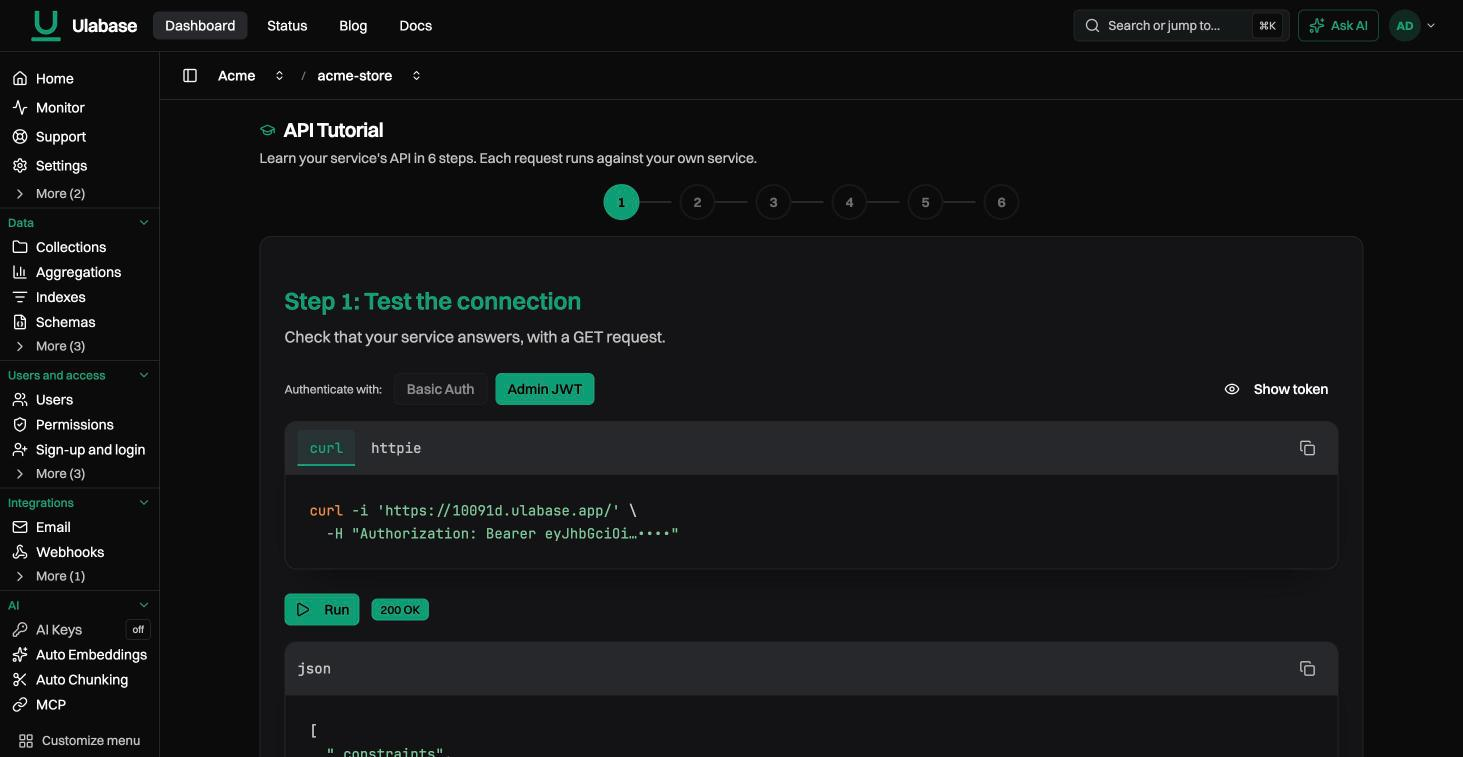
The API Tutorial in the console runs these steps against your service, one click each. Then it creates an application user and gives it a permission. |
4. Connect your app
Install the Kit for your framework and paste the snippet from Use with your framework, on the service’s Home:
npm install @ulabase/kit-react # or kit-ng, or kit-vueimport { RhAuthProvider } from '@ulabase/kit-react';
createRoot(document.getElementById('root')!).render(
<RhAuthProvider config={{ apiBaseUrl: 'https://c0ffee.ulabase.app' }}>
<App />
</RhAuthProvider>
);Your app now has sign-up, sign-in, sessions that survive a reload, and calls to your data. Its users are the users of your service, each with their own permissions. The app never signs in as root. See the Ulabase Kit, or start from a ready-made app in React, Angular, Vue or an ecommerce shop: see Starters.
A mobile app talks to the same address over HTTPS, with the user’s credentials or a token. See Users and permissions through the API.
What next
-
Your users. Turn on Sign-up and login for registration, email verification, password reset and login with Google. Then set users and permissions to decide who may do what.
-
Your data. Use schemas to validate documents, aggregations for reports, change streams for live updates in the UI.
-
Payments, email, AI. Charge your users with Stripe billing, send email from your own address, and let an agent use your data through the MCP server.
The Free plan gives you 20 collections, 500 MB and 150 requests a minute, about 5 users at once. A Free service with no requests for 40 days is deactivated, and its data is kept for 30 days. What changes with Starter, Pro and Enterprise.
For any question, open a ticket from the Support page of your service. The answer arrives by email and stays under the ticket.