Your users
Users
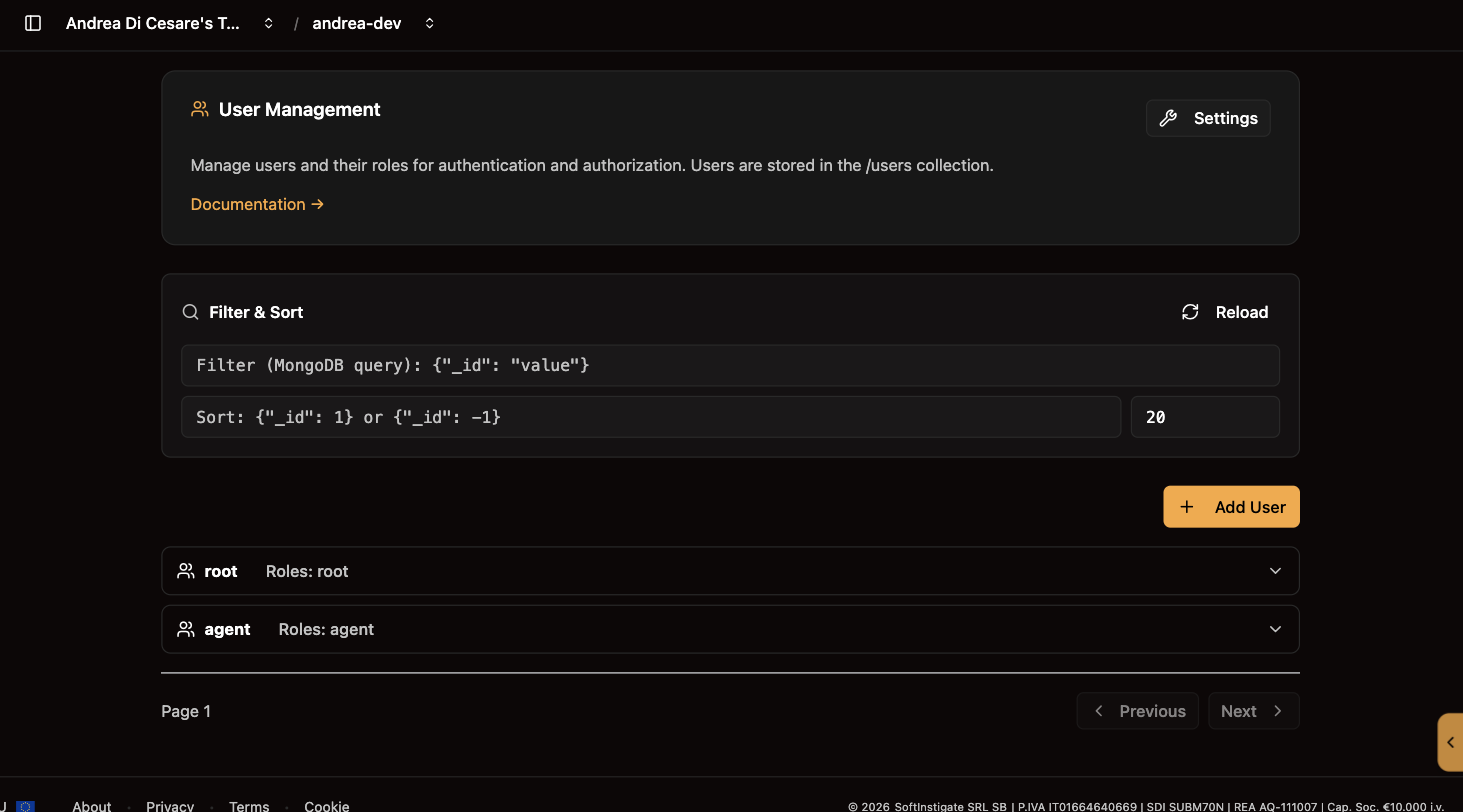
The people and scripts that sign in to your service: create them, give them roles, reset their passwords, and choose what their login token carries.
A user is anyone who signs in to your service: a person using your app, or a script with its own identity. Each user is a document in the users collection, with a name, a password and roles.
Use this page to add the first users of your app, give someone a new role, or reset a forgotten password. For example, you create a user importer with the role service-account for a nightly import script.
What you get:
-
Roles that decide access. Permissions refer to roles. A user with no matching permission can do nothing.
-
Users that belong to your service. They are your app’s users, stored in your service. Your own Ulabase account is separate.
A user document
{ "_id": "alice", "password": "her-password", "roles": ["user", "editor"] }-
_idis the username, the one sent in theAuthorizationheader. It cannot change afterwards. -
passwordis hashed with bcrypt by the service before it is stored. Nobody can read it back, you included. To change it, set a new one. -
rolesis a list of names you choose:user,editor,admin,service-account. The only role with a meaning of its own isroot, granted everything by the permission created with the service.
A user may hold more fields, such as an email, a display name or the terms they accepted. Guards and permissions can read them.
Add, edit, delete
Add user asks for the name, the password and the roles. Edit on a row changes the roles or sets a new password; leave the password blank to keep it. Delete removes the user, after a confirmation, and every session of theirs stops working at once.
Filter the list with a MongoDB query, {"roles": "admin"} or {"_id": {"$regex": "^ali"}}, and sort it with {"_id": 1}.
Most apps do not create users here. They let people register themselves with Sign-up and login, which adds email verification, password reset and login with Google, and use this page to look them up and fix things.
How a user signs in
Every request carries the user’s credentials, in one of two forms:
-
Basic Auth:
Authorization: Basic base64(alice:her-password)on every request. Simple, and what a script or a mobile app usually does. -
A JWT: the app sends the credentials once, gets a token back, and sends
Authorization: Bearer <token>from then on. This is what the Kit does for a web app, with a session that survives a reload.
An agent or a script that must stay connected for months uses an API key instead, issued by the user and revocable on its own.
What the token says
The JWT a user gets carries their name and roles, and any other fields of the user document you choose to expose as claims. Click Settings on the Users page, type a field name and press Enter; nested fields use /, as in profile/displayName. Save, and tokens issued from then on carry it.
Expose a field when something needs it without a lookup: your frontend, to show a name; a permission or a guard, to decide. The password is refused whatever you list. Leave out anything you would not hand to the client: whoever holds a JWT can read it. A few claims are always there, added by Ulabase, such as the node that issued the token. Those, the other claims Ulabase uses for its own calls, and the standard ones that say who issued the token and until when (iss, sub, aud, exp, nbf, iat, jti), cannot be copied from the user document: Settings refuses them.
From a script
| Operation | API |
|---|---|
List |
|
Create |
|
Update |
|
Delete |
|
filter and sort work here because the request is sent as root, whose permission has allowFilter on. Any other user needs the same setting in their permission.
On Enterprise the path is /restheart/users. When the Sign-up and login feature is on, a user cannot change their own roles, active team or verification status through this API, whatever their permission says; see the self-service restriction.
Do it from the command line
You can keep in git the users your service needs from the start, and the claims of their tokens, and apply them with ulabase setup. The steps below create an importer user for a script and add two claims to the token:
import { defineSetup, step, fromEnv } from '@ulabase/cli';

// the user fields copied into every token of the service
const CLAIMS = ['email', 'profile/displayName'];

export default defineSetup('Users', [
  // step 1: create an account for a script, once; its password comes from the environment
  step('importer user exists', {
    check: ({ service }) => service.userExists('importer'),
    apply: ({ service }) =>
      service.createUser('importer', {
        password: fromEnv('IMPORTER_PASSWORD'),
        roles: ['service-account'],
      }),
  }),

  // step 2: set the claims; they are saved on Ulabase and apply to every token of the service.
  // `auth` is a feature like every other, always on
  step('token claims set', {
    async check({ admin, srvId }) {
      const current = await admin.getFeatureConfig(srvId, 'auth');
      const claims = (current['account-properties-claims'] as string[] | undefined) ?? [];
      return CLAIMS.every(c => claims.includes(c));
    },
    apply: ({ admin, srvId }) => admin.updateFeatureConfig(srvId, 'auth', { 'account-properties-claims': CLAIMS }),
  }),
]);
The check asks only whether the user exists, so a second run does not change the password. The service stores the password hashed.
The list of claims replaces the stored one, as Settings does.
Related pages
-
Permissions: what each role may do.
-
Sign-up and login: let people register themselves.
-
API keys: a long-lived credential a user issues for an agent or a script.
-
Tokens: your own credentials as the owner, which are not these.